
Search Wayne County Jail Mugshots
Wayne County Jail Mugshots searches are phone first because Wayne County does not run a public online inmate roster and does not post online mugshots. The sheriff office in Loa is the real public contact, so the search starts with a call instead of a screen. That makes the county simple in one way and slower in another. If you need a custody check, call the sheriff. If you need a written record, use GRAMA. If the person moved to another facility, the state tools can help you follow the trail after the county office answers.
Wayne County Jail Mugshots Quick Facts
Wayne County Jail Mugshots and Records
The Wayne County Sheriff's Office is at 18 South Main Street in Loa, with a mailing address at PO Box 219, Loa, UT 84747. The office phone is 435-836-1308. That is the key fact for Wayne County Jail Mugshots searches. There is no online inmate roster and no online mugshot gallery. So the public search is not a web search at all. It is a call to the sheriff office, followed by any written step the office tells you to use next.
That makes Wayne County different from larger Utah jails. You do not browse a live roster and then decide whether to call. You call first and ask whether the person is in custody. If the answer is no, the office may tell you where the record moved. If the answer is yes, you can ask about the next step. Wayne County Jail Mugshots searches are still workable, but they are manual and direct.
The sheriff office is the only first step here. That is why the county stays easy to understand even though it does not offer a public roster. Keep the name, the date, and the reason for the call ready before you dial.
How to Search Wayne County Jail Mugshots
Start with the phone number and a full name. That is the only reliable first move in Wayne County. If you know the town, the offense, or the date of arrest, include it. The sheriff office can use that to confirm whether the person is still being held locally or whether the record has moved elsewhere. Because there is no roster, Wayne County Jail Mugshots searches depend on the caller giving enough detail to make the record easy to identify.
Do not expect the county to solve the whole search on a web page. That is not how Wayne County works. It expects a call, then a request if needed. The good news is that the phone line is clear and the office address is public. If you are patient and specific, the search can still be handled cleanly. It just does not happen with one click.
- Full legal name
- Town or location tied to the arrest
- Approximate date of the booking
- Reason for the call or request
- Callback number for the sheriff office
Note: Wayne County Jail Mugshots searches depend on a live phone call because the county does not keep a public online roster.
Wayne County Jail Mugshots Requests
If you need a written request, the county follows the Utah GRAMA framework. The state form page at archives.utah.gov/rim/forms/forms-grama.html is the cleanest place to get the request structure right. Wayne County does not give you a large online booking page to work from, so the request should be tight and specific. Ask for the exact record you need, the date range, and the name of the person involved. If the office needs to confirm custody first, the phone call should happen before the written request.
Wayne County Jail Mugshots requests are less about searching a public screen and more about using the sheriff office correctly. That means you should be ready to give the date, the name, and the reason you are asking. The office is small enough that a clear request is more helpful than a broad one. If the person has been transferred or if the county does not have the photo in public view, the staff can usually tell you which direction to go next.
The GRAMA form page at Utah GRAMA Forms is the written request backup when the county phone line is not enough.
That form helps turn a phone-only county into a usable public records search.
Wayne County Jail Mugshots and State Tools
State tools become important very quickly in Wayne County because the county does not show you a roster online. Utah Courts XChange at utcourts.gov/en/court-records-publications/records/xchange.html helps you follow the court side after arrest. The Bureau of Criminal Identification at bci.utah.gov/criminal-records is the state criminal history office. The Utah Department of Corrections offender search at corrections.utah.gov/offender-search helps if the person leaves county custody and enters prison custody. The statewide warrant search at secure.utah.gov/warrants is useful when the search turns into a warrant question.
The state courts screen at Utah Courts XChange is a good backup when Wayne County has no public roster.
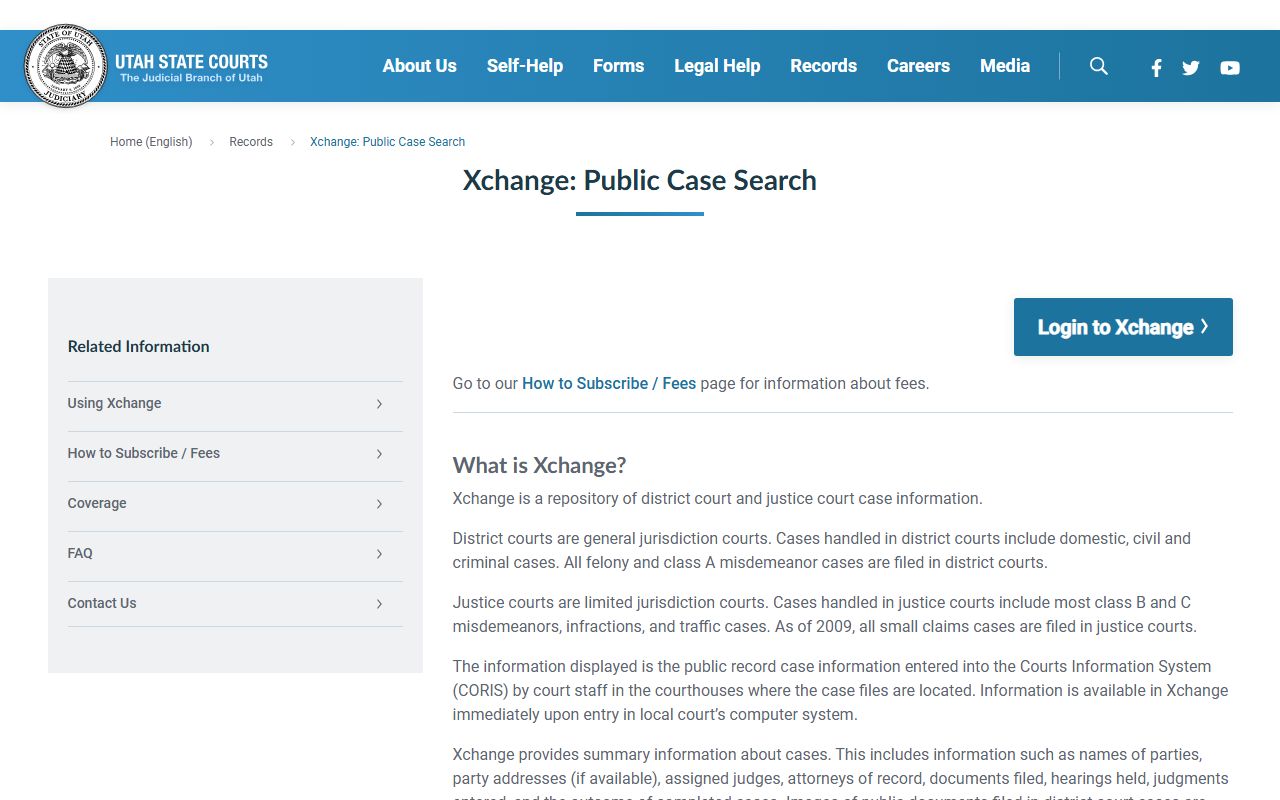
That state screen shows the court trail that can follow a booking even when the county web side is quiet.
The state GRAMA forms page at Utah GRAMA Forms is the right backup when the sheriff office asks for a formal written request.

That form page shows the written request path that fits a phone-only county best.
Wayne County Jail Mugshots searches usually finish with one of those state tools because the county keeps the public side narrow.
Wayne County Jail Mugshots and County Context
Wayne County is a small, rural county, and the public record system reflects that. Loa is the center of the sheriff operation, and the county depends on direct phone contact rather than a large online system. That can feel slow if you are used to larger counties, but it also means you are talking to the right office immediately. If the person is held locally, the sheriff office can confirm it. If the person has been moved, the sheriff office can usually point you toward the next step.
That is the real shape of Wayne County Jail Mugshots. There is no public roster to browse. There is no mugshot wall to scan. There is a sheriff office, a phone line, a written request route, and the state tools that can finish the search when the county record is not enough. That is enough to work with if you stay specific and patient.
For Wayne County, the record trail starts with a phone call and ends with the office that still holds the file.